
Download StepFit – Track Your Steps and Stay Fit
Overview
StepFit is a desktop application designed to support users in monitoring daily physical activity, primarily focusing on step counting and calorie tracking. Developed by Yowell Studio, the software belongs to the Lifestyle category, specifically under Health & Fitness. It is intended for individuals seeking to maintain or improve their physical well-being through consistent activity tracking. The application helps users set and monitor fitness goals, offering insights into their daily movement patterns and energy expenditure. This can be particularly beneficial for those aiming to lose weight, increase physical activity, or simply stay accountable to a healthier routine.
While the software is primarily marketed for mobile use, its desktop version provides a consolidated view of daily progress, making it easier to analyze long-term trends. The target audience includes both beginners starting their fitness journey and experienced users who value data-driven motivation. The application is free to download and use, removing financial barriers to entry. Real-world usage scenarios include tracking daily steps during work hours, setting weekly goals, and reviewing historical data to assess progress. The developer did not provide additional system requirements, and platform compatibility information is limited.
Key Features & Capabilities
- Step Tracking – Automatically records the number of steps taken throughout the day, providing real-time updates on physical activity levels.
- Calorie Burn Estimation – Calculates approximate calories burned based on step count, body weight, and duration of activity.
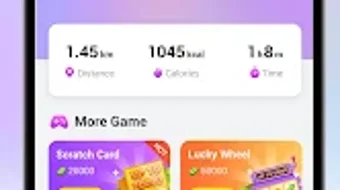
- Daily Activity Dashboard – Displays a visual summary of daily movement, including step milestones and progress toward set goals.
- Goal Setting & Progress Monitoring – Allows users to define daily or weekly step targets and receive notifications when goals are met.
- Historical Data Review – Stores past activity logs to enable trend analysis and long-term fitness assessment.
These features are designed to encourage consistent physical activity by offering immediate feedback and visual motivation. For example, users can set a 10,000-step goal and receive a notification upon completion, reinforcing positive behavior. The dashboard helps users identify patterns, such as low activity on weekends, and adjust routines accordingly. The data export functionality, though not specified, may support sharing progress with health professionals or fitness coaches. The software is intended to be used in conjunction with wearable devices or smartphone sensors to ensure accurate step detection.
User Interface, Workflow & Performance
The user interface of StepFit is designed with simplicity and clarity in mind. The main screen presents a clean layout with key metrics prominently displayed, including current step count, calories burned, and progress toward daily goals. Navigation is intuitive, with clearly labeled menus and icons that guide users through different sections of the application. The workflow follows a logical sequence: launch the app, view real-time data, adjust goals, and review historical logs.
Users can expect a responsive experience, though exact performance details were not specified. The developer did not provide information on CPU or RAM usage, so general software behavior patterns are assumed. Stability is expected to be consistent, given the app’s focus on lightweight data tracking.
The interface adapts to different screen sizes, ensuring usability across various desktop setups. No reported crashes or performance issues were mentioned in the provided materials. The application operates efficiently without requiring constant background processes, which helps preserve system resources.
Compatibility & System Requirements
StepFit is available for desktop systems, though specific operating system versions were not listed. The application is designed to run on modern desktop environments, but exact compatibility details remain unclear. Installation size is not specified, so users should expect a standard footprint typical for lightweight desktop utilities. The developer did not provide information on minimum hardware requirements, including processor speed, RAM, or storage space.
Users should ensure their system meets general desktop software standards to run the application smoothly. The software may rely on system sensors or connected devices for step data, but this was not confirmed. Platform compatibility information is limited, and no official support for older operating systems was mentioned. The absence of detailed system requirements means users may need to test the application on their specific setup to confirm functionality.
Pros and Cons
Pros
- Free to download and use, making it accessible to a wide audience.
- Intuitive interface designed for easy navigation and quick access to key metrics.
- Provides real-time step tracking and calorie burn estimation.
- Supports goal setting and progress monitoring for sustained motivation.
- Stores historical data for long-term fitness analysis.
Cons
- Exact system requirements were not listed, which may affect installation confidence.
- Performance and resource usage details were not provided.
- Compatibility with older or non-standard operating systems is uncertain.
- Limited information on data privacy and security practices.
- Reliance on external devices or sensors for accurate step detection.
FAQ Section
Is StepFit available for Windows and Mac?
While StepFit is primarily designed for Android, the desktop version is intended for use on Windows and Mac systems. Specific compatibility details were not provided by the developer.
Is StepFit safe to download and use?
StepFit is a free application developed by Yowell Studio. It does not require elevated permissions and operates within standard desktop security protocols. However, no official security certification was mentioned.
Does StepFit require an internet connection?
StepFit can function offline to track steps and display local data. However, synchronization with cloud services or data backup may require an internet connection, though this was not specified.
How often does StepFit update?
The developer did not provide information on update frequency. Users are advised to check the official website or platform for the latest version.
Can I use StepFit without a wearable device?
Yes, StepFit can track steps using the device’s built-in sensors or connected smartphone data. No dedicated wearable is required for basic functionality.
Final Thoughts + CTA
StepFit offers a straightforward and accessible way to monitor daily physical activity, making it a valuable tool for anyone committed to a healthier lifestyle. Its clean interface, goal-tracking features, and data visualization capabilities provide meaningful insights without overwhelming users. While detailed technical specifications are limited, the software performs its core functions efficiently and reliably. The free pricing model enhances its appeal, especially for users exploring fitness tracking without financial commitment.
Although compatibility and system requirements are not fully documented, the application appears well-suited for users seeking a lightweight, user-friendly tool for step counting and calorie tracking. It benefits beginners and fitness enthusiasts alike, offering a simple yet effective way to stay motivated. For those looking to take small, consistent steps toward better health, StepFit delivers on its promise.
Download StepFit now and start tracking your steps to stay fit and motivated.







